Master section
The master section is located in the corner on the left of screen 2.
It consists of three areas.
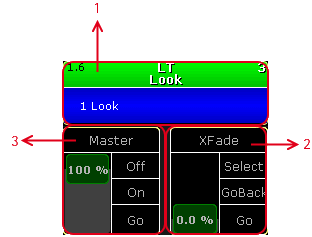
_Areas in the Master Section _
The master section is also displayed in the Command Section View along with Program Time and Exec Time.
- Open the Command Section View via the pop-up Create Basic Window. For more information see Create and Manage Basic Windows.
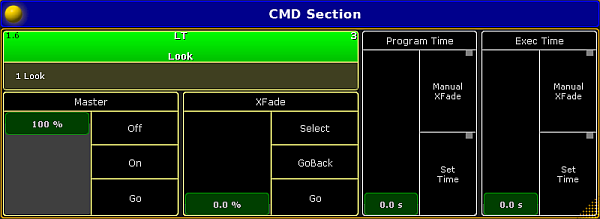
Open the Command Section View
Selected Executor
Section titled “Selected Executor”The selected executor has two areas.
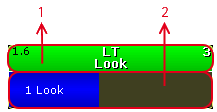
Selected Executor Areas
- Sequence
- Cue
If you tap at the sequence area, the assign menu opens.
If you tap at the cue area, the edit menu opens.
For more information, see Mini Executor Bar.
Fader Function
Section titled “Fader Function”The two faders display the current fader function of the 100 mm faders.
You can move the slider up or down and tap at the function buttons right beside the slider.
If you tap in the fader description field, the fader assignment opens.
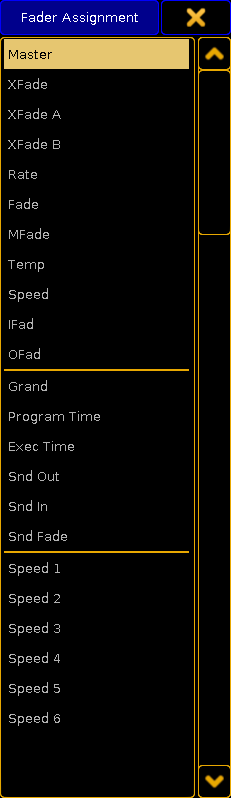
Fader Assignment
For more information, see executor - assign a function.